Clara + HubSpot Integration: How It Works (and What Gets Synced to Your CRM)
Learn exactly how Clara's AI SDR integrates with HubSpot CRM - syncing contacts, logging conversations, booking meetings, and turning website visitors into qualified pipeline automatically.
KEY TAKEAWAYS
- The Clara + HubSpot integration automatically creates or updates a HubSpot contact every time a visitor has a conversation with Clara on your website
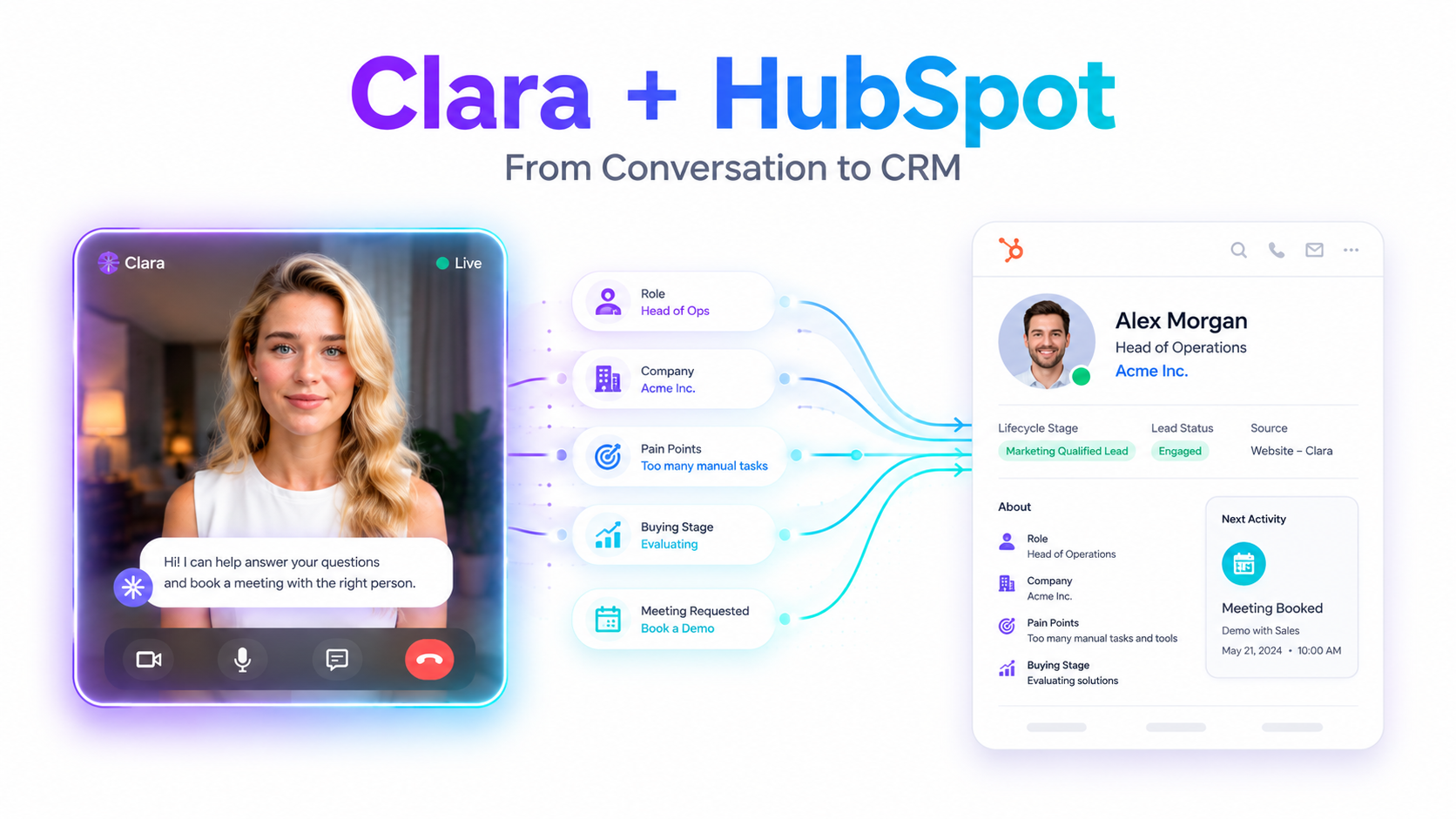
- Qualification data captured in conversation - role, company, pain points, buying stage - syncs directly to HubSpot contact properties without manual entry
- Meeting bookings initiated by Clara go directly into HubSpot Meetings and the assigned rep's calendar, with full context attached
- The integration eliminates the gap between a visitor showing intent on your site and that intent being visible in your CRM
- Setup is straightforward - no RevOps overhaul or lengthy implementation required
What Is the Clara + HubSpot Integration?
Definition: The Clara + HubSpot integration is a native connection between Clara's AI SDR and HubSpot CRM that automatically syncs visitor conversation data, lead qualification details, and meeting bookings from Clara directly into HubSpot - in real time, without manual input from your team.
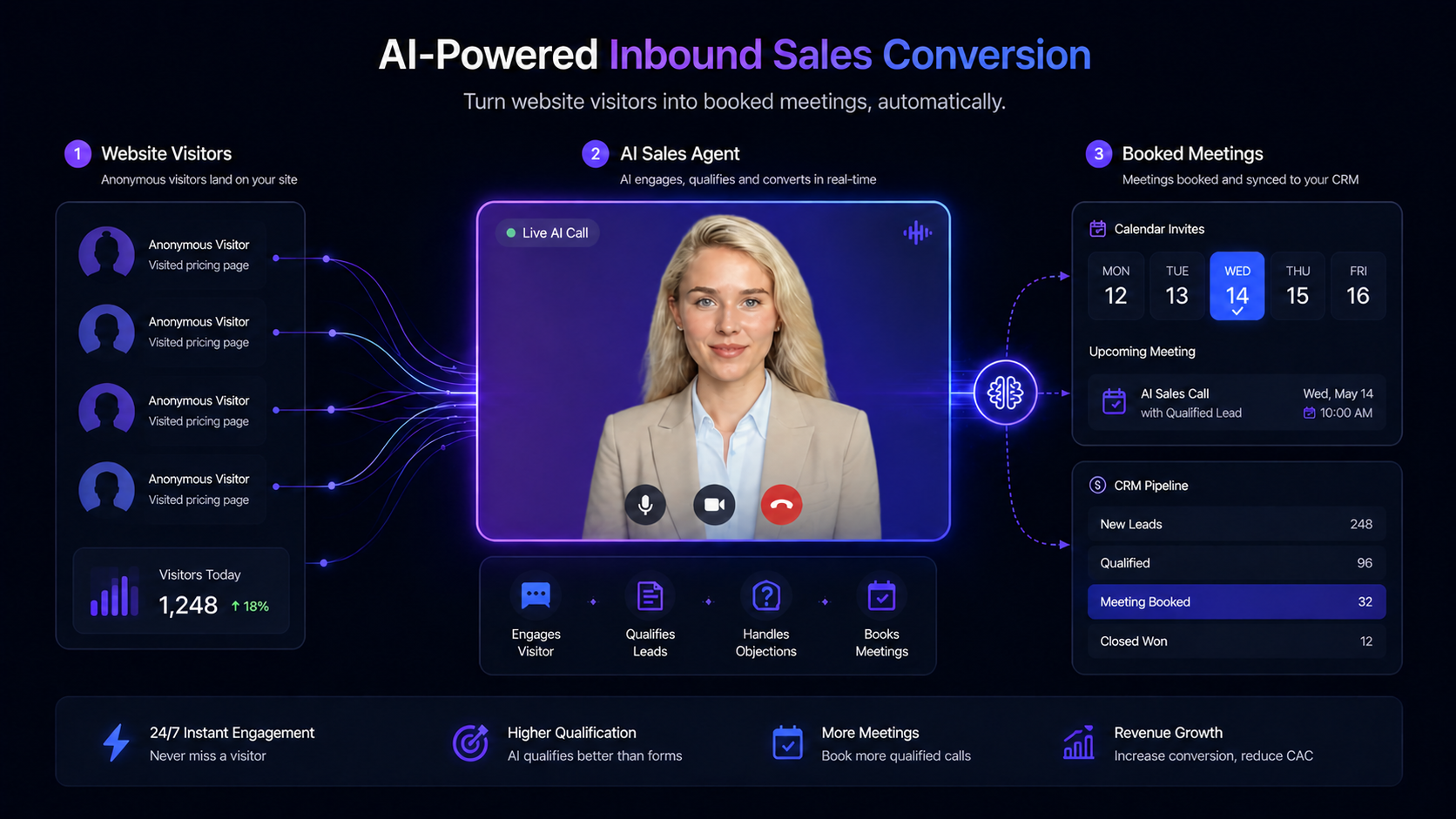
Clara sits on your website and engages visitors face-to-face the moment they arrive. It qualifies them through natural conversation, runs live demos, handles objections, and books meetings. The HubSpot integration ensures that everything happening in those conversations - who the visitor is, what they told Clara, what stage they are at, and whether they booked a meeting - flows automatically into HubSpot the moment the conversation ends.
For HubSpot-native revenue teams, this means the CRM is no longer downstream of a form. It becomes an active, real-time record of every meaningful visitor interaction on the site.
Why HubSpot Users Need More Than a Form to Capture Pipeline
Most HubSpot-powered inbound workflows look like this: run paid ads or SEO to drive traffic, send visitors to a landing page, hope they fill a form, wait for the form data to appear in HubSpot, and follow up within the next business day.
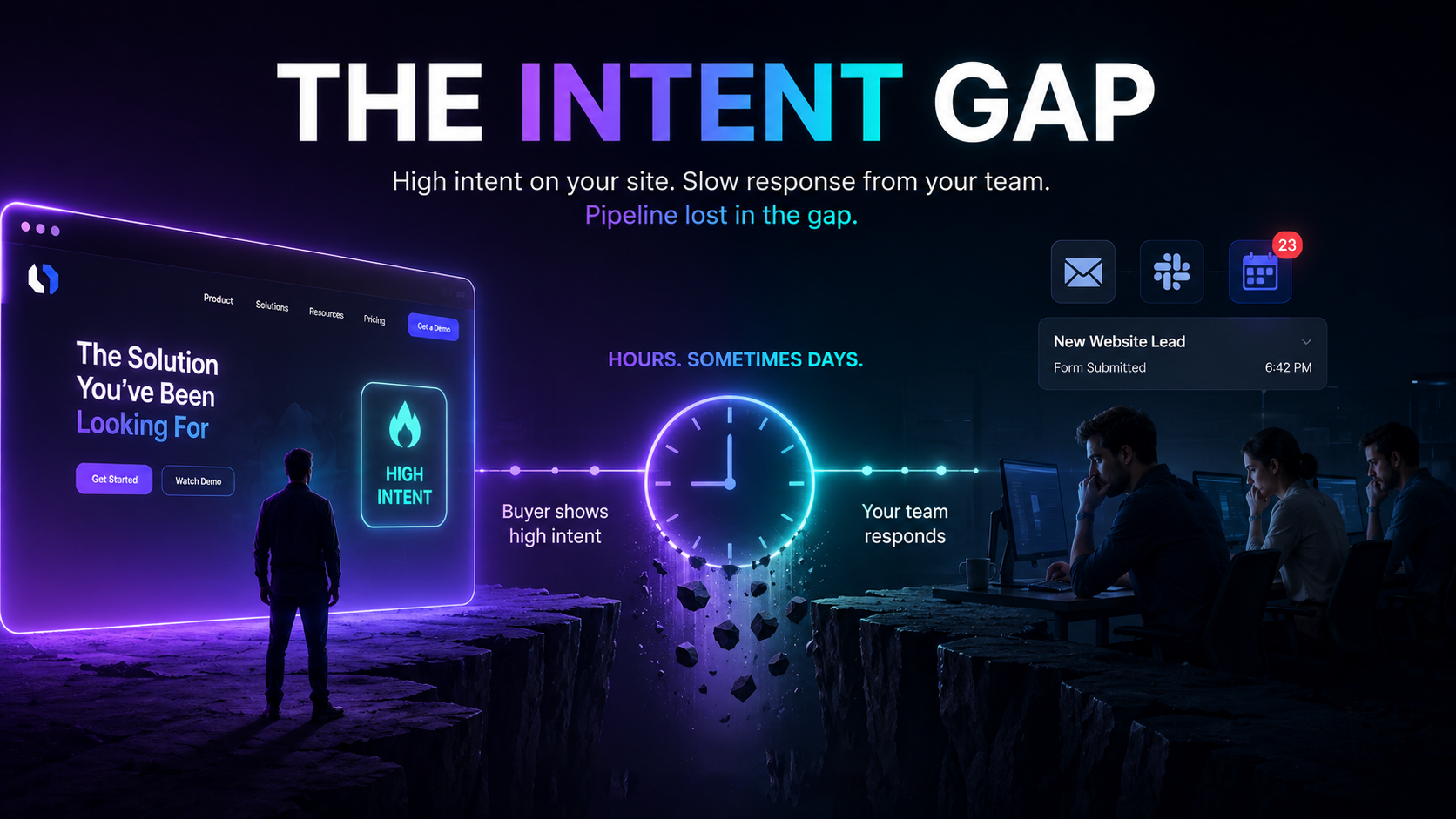
The gap in that workflow is not the CRM. HubSpot is excellent at managing the data once it arrives. The gap is everything before the form submission - the 97 out of 100 visitors who never fill it.
According to Harvard Business Review research, companies that engaged inbound leads within one hour were nearly seven times more likely to qualify the lead than companies that waited even two hours. Most B2B teams are following up 22+ hours after a visit. By then, the visitor has moved on, talked to a competitor, or simply forgotten what made them visit in the first place.
Forms create a structural delay. They put the burden of qualification on the visitor, ask them to self-identify with incomplete information, and introduce a cooling-off period between intent and conversation that almost always reduces conversion.
Clara closes that gap. And the HubSpot integration ensures that when Clara does close it, the CRM is immediately updated - no lag, no manual entry, no data loss.
How the Clara + HubSpot Integration Works - Step by Step
Step 1: Clara Engages the Visitor in Real Time
A visitor lands on your website - your pricing page, your homepage, a campaign landing page. Clara appears as a face-to-face AI SDR and opens a conversation. She greets the visitor by name if known, or introduces herself and asks how she can help. The visitor engages.
Step 2: Clara Qualifies the Visitor Through Conversation
Clara conducts a natural, adaptive qualification conversation. She asks about the visitor's role, company, team size, current setup, pain points, and buying timeline - not in a form, but in a conversation that feels like talking to a knowledgeable rep.
She can share her screen to walk through a deck or navigate live to any URL the visitor asks about. She answers objections with context-specific responses. She runs the full qualification that your best SDR would run, in the same amount of time.
Step 3: HubSpot Contact Is Created or Updated Automatically
As Clara captures visitor information - name, email, company, role, pain points, tech stack, buying intent - this data flows directly into HubSpot:
- If the contact already exists in HubSpot, the record is updated with new information from the conversation
- If the contact is new, a new HubSpot contact record is created automatically
- All qualification data is mapped to the appropriate HubSpot contact properties
- A conversation summary or activity note is logged under the contact's activity timeline
Your team opens HubSpot after the conversation and sees a complete, enriched contact record - without anyone typing a single field.
Step 4: Meeting Is Booked Directly in HubSpot Meetings
If the visitor is ready to talk to a human rep, Clara books the meeting on the spot. The booking flows directly into HubSpot Meetings and the assigned rep's calendar. The rep receives a notification with:
- The visitor's contact details and company information
- A summary of what was discussed in the Clara conversation
- The qualification outcome - whether the lead is ICP-fit, what they care about, what objections came up
- The meeting time, duration, and any pre-meeting notes from Clara
The rep walks into the meeting already prepared. No cold intro. No re-asking questions the visitor already answered with Clara.
Step 5: Automation Workflows Trigger Based on Clara Activity
Because Clara's data lands in HubSpot as standard contact and activity data, your existing HubSpot workflows can trigger based on Clara conversations. Examples:
- When Clara qualifies a visitor as ICP-fit, automatically enroll them in a post-demo email sequence
- When a visitor has a conversation but does not book, trigger a follow-up task for a rep
- When Clara logs a specific pain point or competitor mention, tag the contact for a targeted outreach sequence
- When a meeting is booked via Clara, send a confirmation and prep email to the visitor automatically
The integration does not require you to rebuild your HubSpot setup. It adds Clara as an additional data source that flows into the workflows you already have.
What Data Gets Synced from Clara to HubSpot
Here is a breakdown of the data that flows from Clara conversations into HubSpot:
|
Data Type |
What Clara Captures |
Where It Goes in HubSpot |
|---|---|---|
|
Contact identity |
Name, email, company, phone |
Contact record properties |
|
Role and seniority |
Job title, decision-making authority |
Contact properties |
|
Company details |
Company size, industry, tech stack |
Company record properties |
|
Qualification data |
Pain points, buying stage, urgency |
Contact notes + custom properties |
|
Conversation outcome |
Qualified, not ready, booked, declined |
Lifecycle stage or custom property |
|
Meeting booked |
Date, time, rep assigned |
HubSpot Meetings + rep calendar |
|
Activity log |
Conversation summary, key moments |
Contact activity timeline |
|
Source attribution |
Page where conversation happened, UTM data |
Contact source properties |
Every conversation Clara has with a visitor becomes a structured, searchable record inside HubSpot. Your team gains visibility into what is happening at the top of the funnel in real time - not as a batch export at the end of the day.
How to Set Up the Clara + HubSpot Integration
Setup is designed to be handled without a dedicated RevOps resource. The process has three stages:
Stage 1 - Connect Clara to HubSpot
Authorize the Clara + HubSpot connection through Clara's integration settings. This uses HubSpot's standard OAuth connection - the same method used by the 1,500+ apps in HubSpot's App Marketplace. No API keys to manage manually.
Stage 2 - Map Qualification Fields
Configure which HubSpot contact and company properties should receive data from Clara conversations. You can use existing HubSpot properties or create custom ones (for example: "Clara Qualification Score," "Pain Point Mentioned," "Demo Viewed"). This mapping step takes 15-20 minutes for most teams.
Stage 3 - Configure Meeting Routing
Set up which rep or team calendar Clara should use when booking meetings. This integrates with your existing HubSpot Meetings setup - Clara books into the same link structure your team already uses, ensuring calendar availability is always respected and meetings land in the right place.
Once live, the integration runs automatically. Clara handles every conversation, every contact sync, every meeting booking - without your team needing to manage it manually.
What This Looks Like in Practice
Here is a concrete example of the Clara + HubSpot integration running end to end:
Scenario: A VP of Marketing at a 200-person B2B SaaS company visits your pricing page at 7:30pm on a Tuesday. Your SDR team is offline.
Without the integration: The visitor sees your pricing tiers, has questions, finds no one to talk to, and leaves. No HubSpot record. No follow-up. Lost.
With Clara + HubSpot: Clara appears, greets the visitor, and opens a conversation. The VP asks about enterprise pricing, HubSpot integration depth, and how Clara handles complex qualification. Clara answers everything, shares a screen walkthrough of the HubSpot sync flow, and offers to book a 30-minute call with the enterprise team.
The VP books for Thursday at 10am. By 7:45pm that same evening, HubSpot shows:
- A new contact record: name, email, company, title, all populated
- Activity note: conversation summary including pain points (current chatbot is not converting, team is at capacity) and questions asked (pricing, HubSpot depth, qualification logic)
- Deal created: tied to the VP's company, stage set to "Demo Booked"
- Meeting logged: Thursday 10am, assigned to the enterprise AE, with full context attached
The AE opens HubSpot Thursday morning and knows exactly who they are talking to, what matters to them, and what was already covered. The intro call becomes a focused discovery - not a repeated first conversation.
Clara + HubSpot vs. HubSpot Conversations: What Is the Difference?
Both Clara and HubSpot Conversations connect to HubSpot CRM. The difference is in what happens before the data reaches HubSpot.
|
Capability |
Clara + HubSpot |
HubSpot Conversations |
|---|---|---|
|
Engagement type |
Face-to-face AI video |
Text chat widget |
|
Qualification depth |
Full conversation - role, pain points, buying stage |
Form-like chatbot flow - predefined fields |
|
Objection handling |
Yes - adaptive AI responses |
No |
|
Live demo capability |
Yes - screen share during conversation |
No |
|
Browser navigation |
Yes - Clara navigates to any URL mid-conversation |
No |
|
Meeting booking |
Automatic - books into HubSpot Meetings |
Via Meetings link only |
|
After-hours coverage |
Yes - 24/7, every time zone |
Bot only, no live capability |
|
Conversation transcript |
Full summary logged to HubSpot |
Chat log |
|
Contact enrichment |
Role, company, pain points, tech stack, buying intent |
Name, email only (from form) |
HubSpot Conversations is well-suited for teams that want a lightweight chat widget inside their existing HubSpot setup. Clara is suited for teams who want a full qualification and meeting-booking experience that feeds richer data into HubSpot than any form or chatbot can capture.
Expert Perspective
"Companies that tried to contact potential customers within an hour of receiving a query were nearly seven times as likely to qualify the lead as those that tried to contact the customer even an hour later - and more than 60 times as likely as companies that waited 24 hours or longer."
- Harvard Business Review, The Short Life of Online Sales Leads, Oldroyd et al.
The Clara + HubSpot integration does not just improve data quality in your CRM. It collapses the time between a visitor showing intent and that intent being acted on - from hours or days to seconds. That speed is what the HBR research identified as the single biggest driver of lead qualification outcomes.
Frequently Asked Questions
Does Clara replace HubSpot Conversations?
No - and most teams do not need to choose one or the other. Clara handles high-intent inbound visitors who arrive on key pages like pricing, demo, or comparison pages. HubSpot Conversations handles post-signup customer messaging and support. The two use cases are distinct enough that many teams run both.
Does the Clara + HubSpot integration require RevOps support to set up?
No. The integration is designed for setup by a marketing or demand gen manager without dedicated RevOps involvement. Field mapping and meeting routing configuration typically take 20-30 minutes. There is no custom code required.
What happens if the visitor is already a contact in HubSpot?
Clara checks HubSpot for an existing contact record and updates it rather than creating a duplicate. If the email matches an existing contact, all new data from the conversation is added to that record - existing information is not overwritten, it is enriched.
Does Clara sync to HubSpot Deals, or only Contacts?
Clara can create or update both Contacts and Deals in HubSpot. When a visitor qualifies and books a meeting, a Deal can be automatically created and linked to the contact, placed at the appropriate pipeline stage. This is configurable based on your HubSpot deal pipeline setup.
Can I trigger HubSpot workflows based on Clara conversations?
Yes. Because Clara's data lands in HubSpot as standard contact and activity data, your existing automation workflows can respond to it. You can trigger sequences, assign tasks, update lifecycle stages, or send notifications based on Clara conversation outcomes.
Does the integration work for visitors who do not book a meeting?
Yes. Even if a visitor has a conversation with Clara but does not book, the contact record and conversation summary are still created in HubSpot. This allows your team to follow up with warm, enriched leads who have already been partially qualified - rather than discovering them only after they fill a form.
Is the Clara + HubSpot integration secure?
Yes. Clara is SOC 2 Type II certified, GDPR compliant, HIPAA compliant, and ISO 27001 certified. The HubSpot connection uses OAuth 2.0 - the same authorization standard used by enterprise integrations across HubSpot's ecosystem.
Can I use Clara with HubSpot if I also use Salesforce?
Clara integrates natively with both HubSpot and Salesforce. If your team uses both platforms, Clara can sync data to both simultaneously or you can configure it to sync to your primary CRM.